My First Microservice
This is the “see how fast this is” demo. Two prompts, one microservice, one working game. For a comprehensive walkthrough that covers all 6 user-facing features of a microservice, work through Building a Microservice.
The microservice we’ll build is a simplified version of a word guessing game. The player needs to reveal a secret 5-letter word by entering a limited number of guesses while observing how closely they match the secret word.
For example, if the secret word is APPLE and a guess is OPERA, the system will identify the second letter P as an exact match (green), the letters A and E as out-of-place matches (yellow), and the letters O and R as mismatches (grey).

Microbus uses a coding agent (e.g. Claude Code) to scaffold microservices from natural-language prompts. In this walk-through we’ll show the 2 prompts needed to build the Wordly microservice.
Prompt 1: Create the Microservice
The agent will use a skill to create the directory structure and boilerplate files.
wordly
├── resources
│   └── embed.go
├── wordlyapi
│   ├── client.go
│   └── definition.go
├── CLAUDE.md
├── PROMPTS.md
├── intermediate.go
├── manifest.yaml
├── mock.go
├── mock_test.go
├── service.go
└── service_test.go
Prompt 2: Implement the Endpoint
Time to Play!
Run the app using go run or your IDE.
cd main
go run main.go
Go to http://localhost:8080/wordly.example/guess and enjoy!
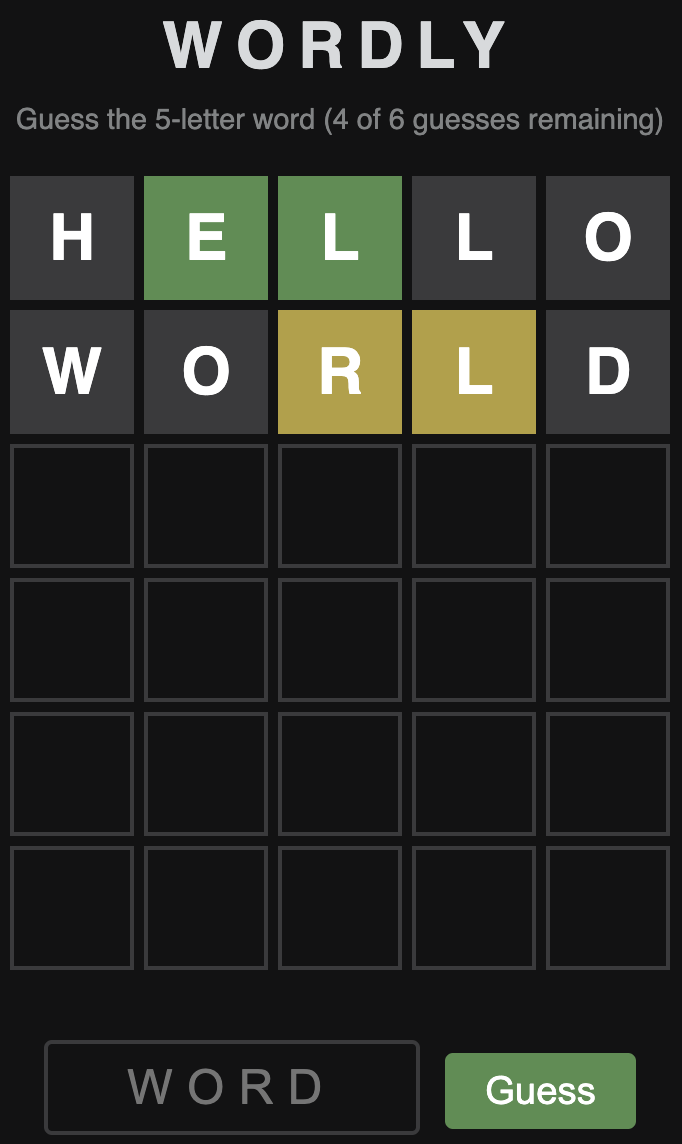
Want to make the game harder by decreasing the number of guesses? Change the value of the config property MaxGuesses by editing config.yaml in the root of the project.
wordly.example:
  MaxGuesses: 5